Creating actions and assigning them to your team contacts lets you keep track of important business decisions.
Actions are effectively a to-do list, and you can assign one or more of your team contacts to an outcome. Team contacts will receive notifications of the activity they need to complete, as well as an optional calendar reminder where the action has a due date.
Creating An Action
The first step when creating an action is to create one from the Actions tab in your meeting, as shown below.
Each action has a title, a due date and a priority (low, normal and high) that can be set to clearly identify the importance of the action.

Adding Team Contacts To An Action
You can add one or more team contacts to an action by simply selecting their name. They will be responsible for completing their assigned tasks.
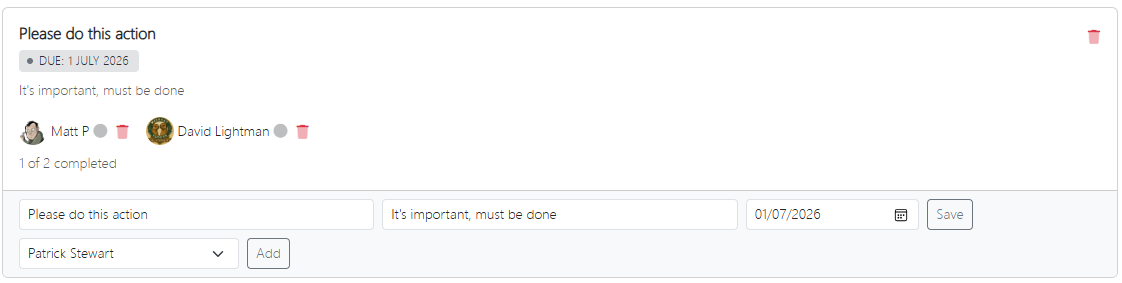
Managing Your Actions And Your Assigned Team Contacts
Outside of the meeting, you can manage your actions by clicking the Actions icon on the main menu.
Each action listing shows which team contacts are allocated, and whether they have completed the tasks.
For each action, you can change which team contacts are assigned, update the due date and also send an email reminder to all assigned team contacts.
Responding To Actions Assigned To You
You can also be assigned to actions by other team contacts. The same main menu option above also shows you a listing of which actions you are yet to complete.
Clicking on Manage Action lets you add comments to an action, and mark it as complete.
When marked as complete, the team contact who created the action will receive a notification.