Three hours of write-up. Fifteen minutes of review.
The minutes write themselves while the meeting is happening. Attendance, agenda discussion, votes, action items, and apologies all flow into a single document you can review, generate, and circulate before everyone's even finished their coffee.
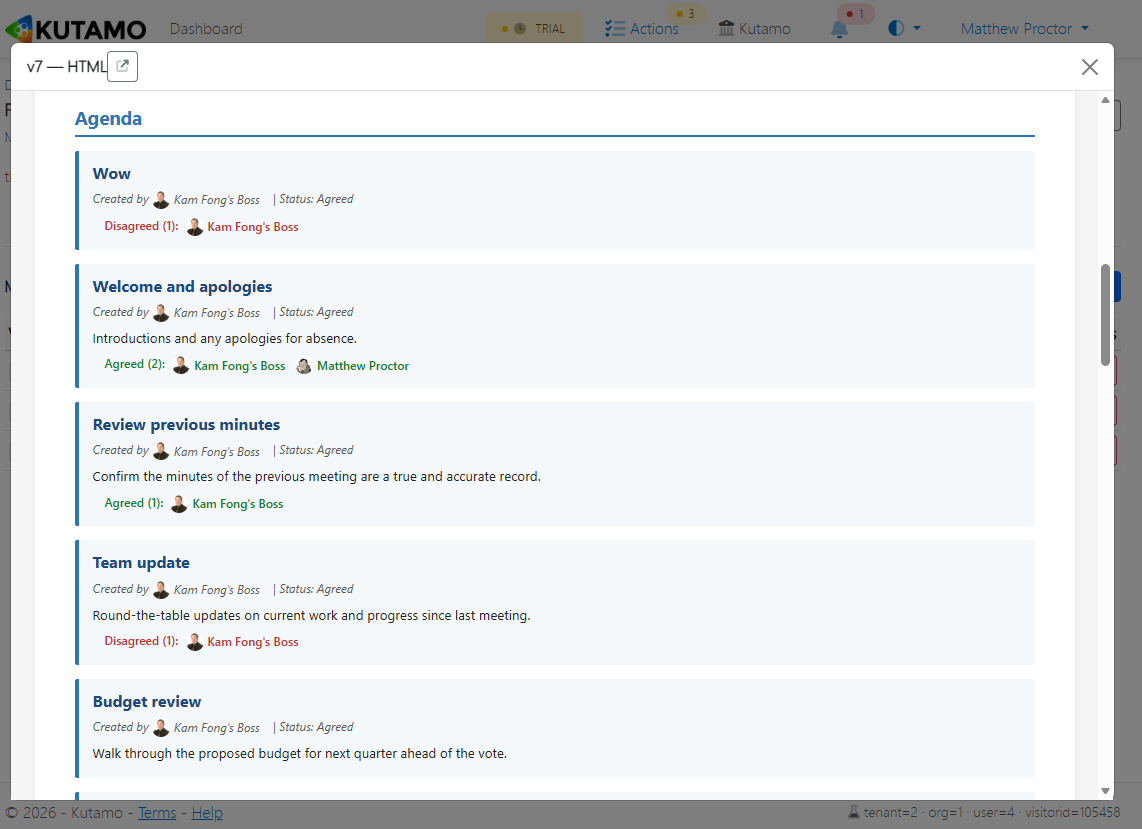
How the minutes write themselves
Kutamo treats every interaction during a meeting as a structured event - not a free-text blob to clean up later. By the time the meeting ends, the record is already complete.
Capture as you go
Agenda discussion, votes, and action items are recorded structurally during the live meeting - no transcription pass needed.
Generate minutes
One click on "Generate Minutes" assembles the document - attendance, apologies, agenda outcomes, votes, and actions formatted to standard.
Review & adjust
The Secretary skims the draft, tweaks anything that needs polish, and signs off - typically under fifteen minutes for an hour-long meeting.
Circulate
Distribute by email or download as PDF / Word. Members get a one-click link to view, comment, or download the official record.
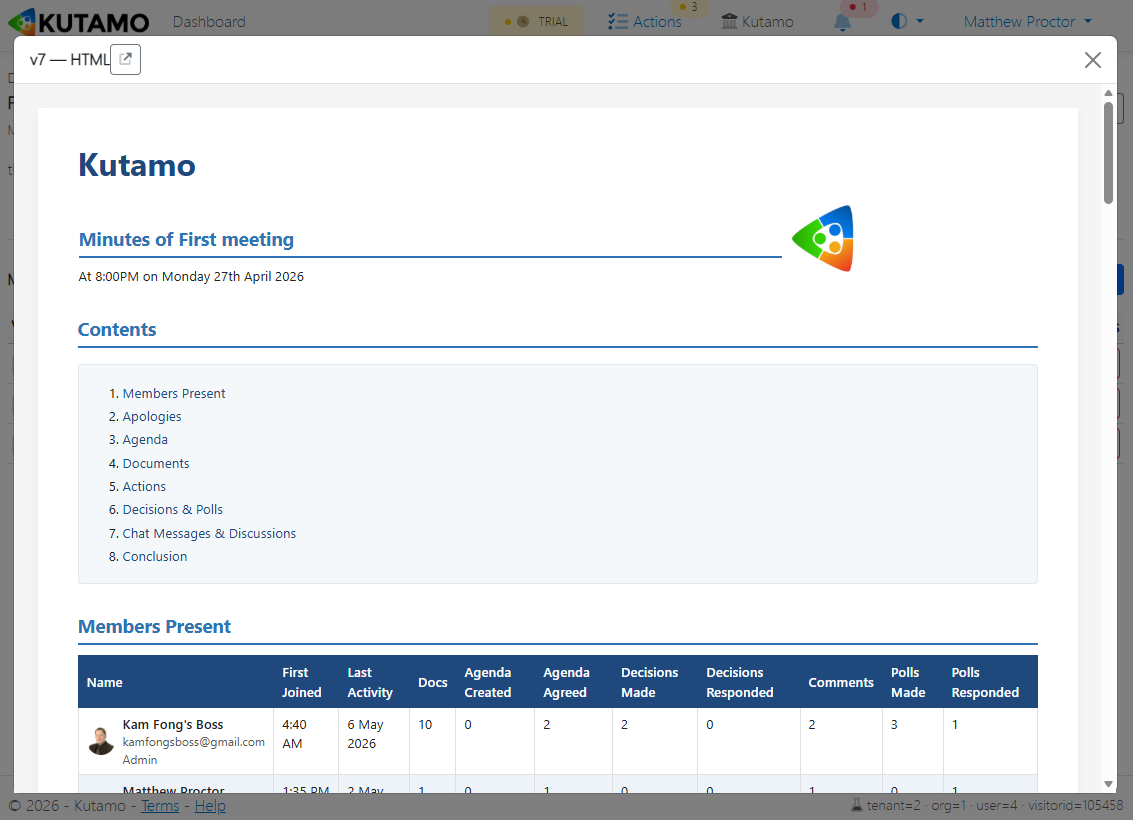
Everything a complete meeting record needs
Kutamo's minutes template covers every governance-grade section your committee or board needs - pre-filled from the live meeting activity, no manual copy-paste from a notebook.
- Meeting metadata - date, time, location/virtual, chair, secretary
- Attendees with role badges (Admin / Secretary / Member / Reporting)
- Apologies (invitees who declined or didn't attend)
- Per-agenda-item discussion, decisions, and outcomes
- Recorded votes with tallies and individual member positions
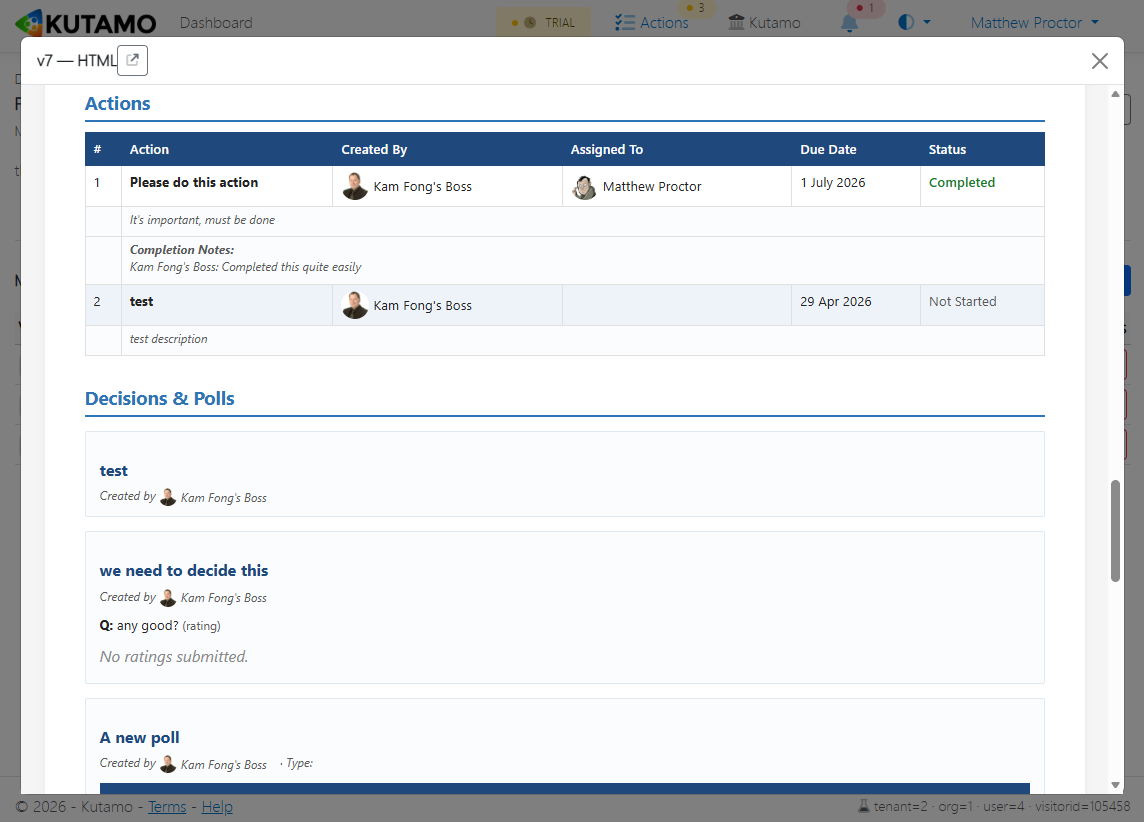
- Action items with owners and due dates
- Outstanding actions carried forward from previous meetings
- Document references - attached board packs and supporting files
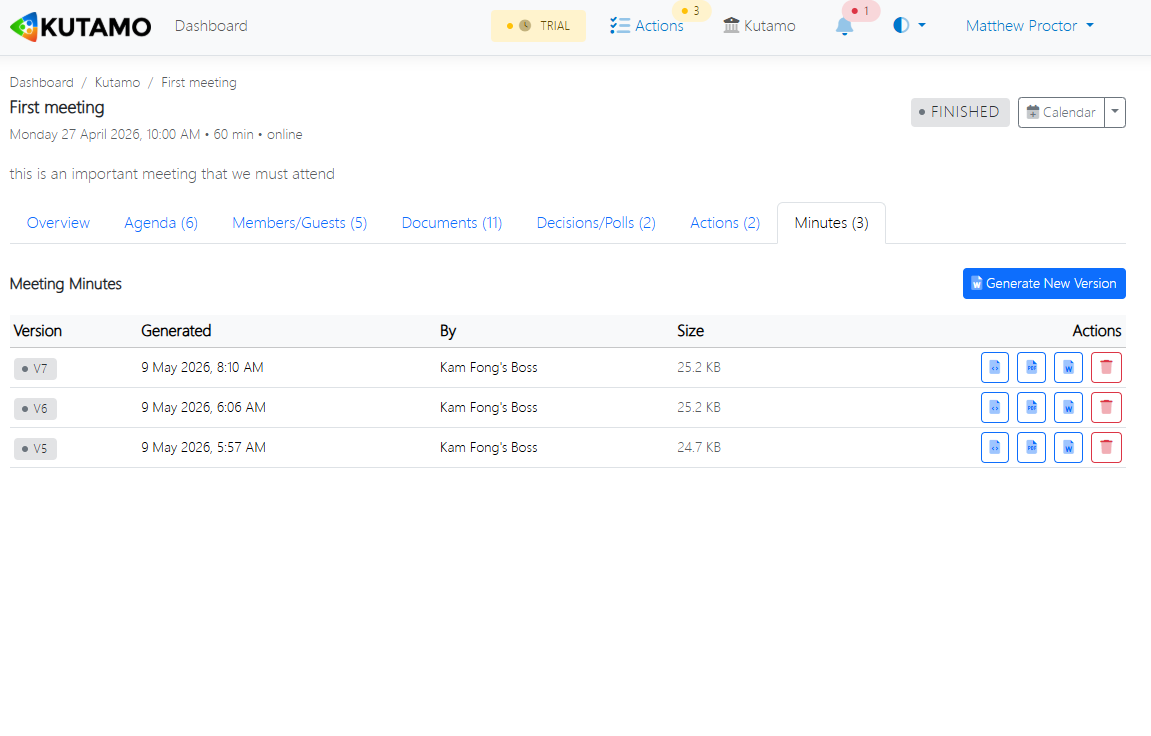
Distribute however your committee expects
Some boards want a PDF in their inbox. Some clubs want a link to the live page. Some auditors want a Word doc to mark up. Kutamo gives you all three.
- Download as PDF for archive and printing
- Download as Word for further editing or templated formatting
- Email distribution to all attendees with one click
- Shareable link to the live minutes page on Kutamo
- Branded with your organisation's logo and details
Audit-ready by design
Minutes aren't just a record - for boards, charities, clubs and incorporated associations, they're a legal document. Kutamo handles that responsibility without making your secretary the only person who can find anything.
- Every change is timestamped and attributed to a named user
- Re-open a closed meeting if a correction is needed - with full history
- Decisions and vote outcomes are linked to the original motion
- Search across years of minutes from a single workspace
- Export everything, any time - your data is never locked in
Minutes in minutes
From "meeting closed" to "minutes circulated" in 15 minutes or less.
Templates included
Governance-grade minute templates work out of the box - no formatting fights.
Carry-forward
Outstanding actions appear automatically in the next meeting's minutes.
Searchable history
Find a decision from three years ago without digging through inbox archaeology.
Stop dreading the minutes write-up.
Free for 21 days. Generate your first set of minutes from your first meeting.
Start free trial