
Today we're shipping the biggest release in Kutamo's history. Kutamo v5 is the result of a year of work, hundreds of conversations with Rotary and Lions club secretaries, and one stubborn belief: the people who keep service clubs running deserve software that respects their time.
This isn't a "new logo, same product" kind of release. v5 rebuilds the way meetings happen inside Kutamo — from agenda planning, to live participation, to the formal minutes that go out the next morning — and adds a long list of features that service clubs in particular have been asking for.
Built for the way clubs actually run
Every Rotary or Lions club we spoke to runs broadly the same playbook: a board that meets monthly, a handful of standing committees (membership, fundraising, projects, fellowship), a roster of members who all wear two or three hats, and a Secretary or Treasurer who quietly carries the weight of keeping the records straight.
What they kept telling us was that the tools they had — email threads, Word documents in a shared drive, a free calendar invite, sometimes a Facebook group — were never designed to support that work. They were designed to support communication. Service-club work is about communication, agreement, action, and the paper trail that proves the club is running properly.
v5 is structured around exactly that: agree, decide, act, record. Every feature in this release pushes a meeting along that path with as little friction as possible.

Live meetings that feel like a meeting
The headline of v5 is the new live meeting experience. When your club starts its monthly board meeting, anyone with the link — members, guests, or someone calling in from interstate — joins one shared workspace.
From that single page, you can:
- Step the room through the agenda one item at a time, with the chair driving and everyone seeing the same item highlighted.
- Capture each member's RSVP-style position (agreed, disagreed, abstain) on every agenda item, with optional comments — no more "what did Bill say about that?" the next morning.
- Add agenda items on the fly when something new comes up, without breaking the flow.
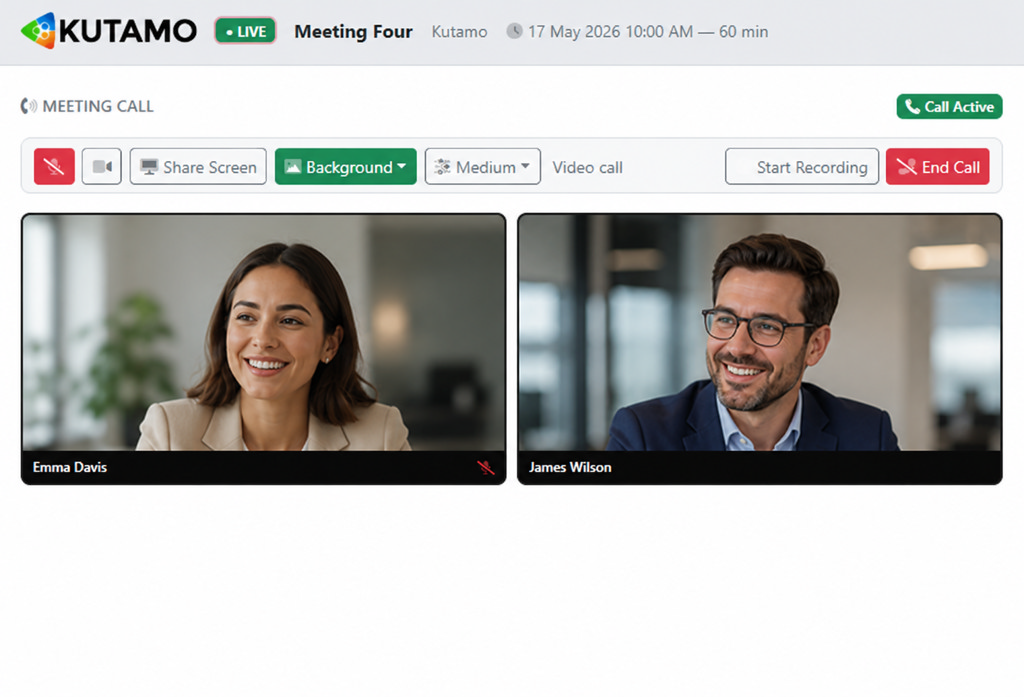
- Run a built-in audio or video call right inside the meeting (powered by Twilio) with mute, camera, screen-share, and optional cloud recording — there's no need to fall back to Zoom and lose the rest of the room.
- Turn on live transcription (powered by Azure Cognitive Services) so every spoken contribution is captured against the agenda item it was raised under.
- Share files during the meeting and let everyone preview, comment and ask questions inline.
Decisions and polls with real-time charts

One of the most common requests from club Presidents and Secretaries was a faster, less awkward way to make formal decisions during a meeting. v5 introduces three kinds of in-meeting polls:
- Yes / No for motions and approvals — green for yes, red for no, instant tally.
- Multiple choice for things like "which date works best for the next event?".
- 1–10 rating for sentiment checks — "how confident are we in this budget?".
Every poll renders a live horizontal bar chart as votes come in. The chair sees the room reach consensus in seconds, not minutes. Closed polls keep their final tally on the page and are pulled into the official minutes automatically.
Minutes that write themselves

Every Secretary's least favourite job is the one that follows the meeting. v5 makes it close to a non-event.
One click on the Minutes tab generates a fully-formatted version of the meeting — title, date, attendance, apologies, agenda outcomes, decisions and tallied poll results, action items, document list, and a transcript of the chat. Each version is preserved separately, so you can always go back and see exactly what went out at the time.
Minutes are produced in three formats — HTML for browser viewing, PDF for the formal record, and Word for any post-meeting edits — all from the same source.
And it's now configurable per organisation. Every club admin can open the new Meeting Minutes Settings panel and choose:
- Whether to include the club's logo at the top of every set of minutes.
- Custom footer text — useful for "Confidential — for committee members only" or a club motto.
- Which sections appear at all (Members & Apologies, Agenda, Documents, Actions, Decisions & Polls, Chat) — turn off the ones your club doesn't use and the headings disappear too.
- Whether to include sections that are empty for a particular meeting, or hide them automatically.
Email the minutes from inside Kutamo
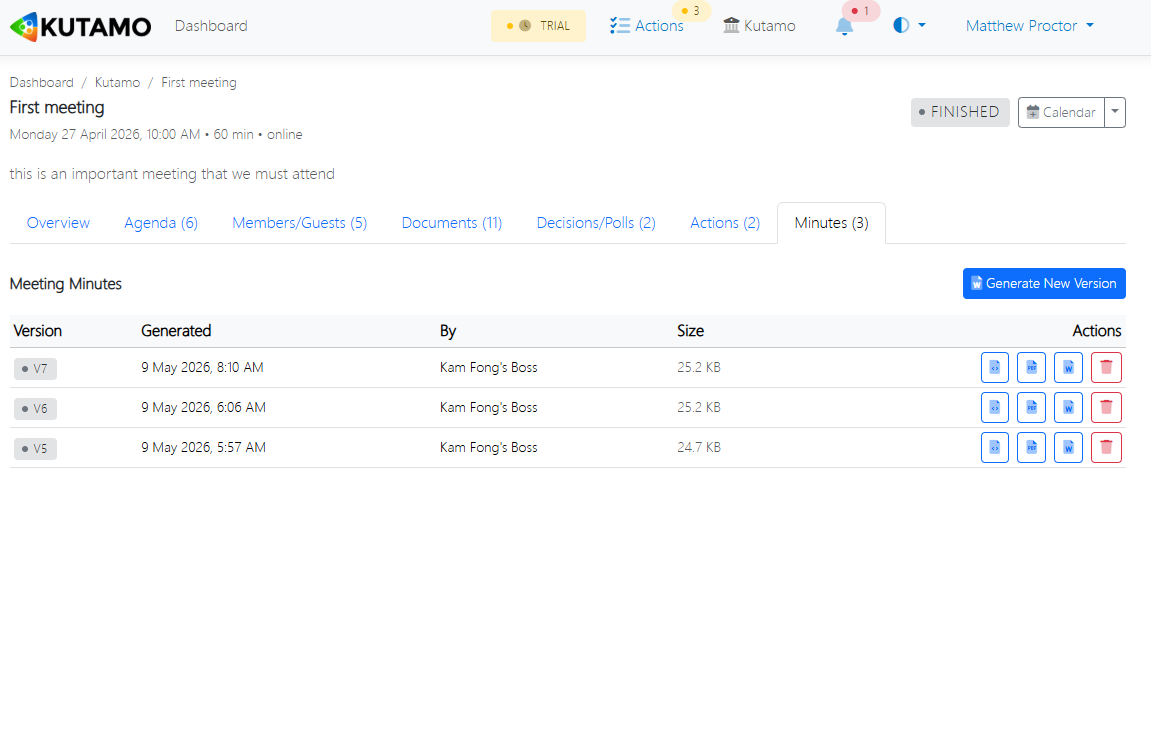
Once the minutes look right, hit the new Send button next to any version. Pick the format (PDF, Word, or both), tick the recipients (defaults to every member with a valid email), customise the subject and body, and click Send. Replies go straight back to you, not to a no-reply system address.
Actions that follow through

Most action items born in club meetings die in club meetings. v5 fixes that.
Every action item has a title, optional description, and one or more assignees. Each assignee independently marks their portion complete with an optional comment. The action stays open until everyone's done, and persists across meetings — assignees see them on their personal dashboards alongside any other club's outstanding work.
For a Lions club President juggling four committees and a service project, that's the difference between "we agreed to do that" and "it's done".
Video, audio and live transcription, in one place

Hybrid clubs — half in the room, half on a call — are now the rule, not the exception. v5 brings the call into Kutamo so the people on the other end of the line aren't second-class participants.
Start a video or audio call from the live meeting page. Background blur, virtual backgrounds, screen-share, and optional cloud recording are all included. Transcription captures the spoken word against the agenda item it was raised under, so the minutes the next morning include not just what was decided but what was actually said.
Service-club pricing that actually means something
Every Kutamo plan includes a 35% discount for verified not-for-profits, and we apply an additional discount stack for every Rotary club automatically — no paperwork, no exceptions, no asking for a quote. We've published the verification process and the discounted pricing openly on our pricing page.
It's the same product everyone else gets. We just don't think the people running the meetings that deliver the dictionaries to the schools, or the eye tests in the villages, or the sausage-sizzles at the hardware store, should be paying enterprise rates for the privilege.
Try v5 today
v5 is live now for every Kutamo customer — there's nothing to install, nothing to migrate.
If your business, organizatio or club isn't on Kutamo yet, the easiest way to see whether it suits your committee is the 21-day free trial — no credit card, full feature set. Start your trial or have a look at our purpose-built landing pages for Rotary clubs and Lions clubs (coming soon).
Got feedback, ideas, or a feature your club has been waiting for? Drop us a line — we read every message, and v5 is full of features that started as one.